


DLOOK: AI Outfit Stylist
4.7344.00 Reviews
App Specs
- Version
- 3.4.0
- Updated On
- License
- Free
- Downloads
- 100,000+
- Developer
- BlazeTech LTD
- Categories
- Beauty
- Platform
- Android
Screenshots
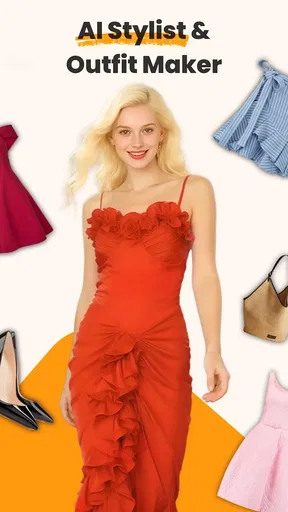
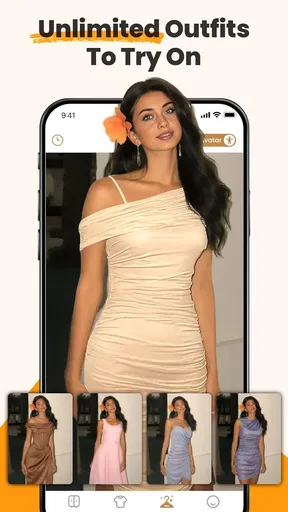
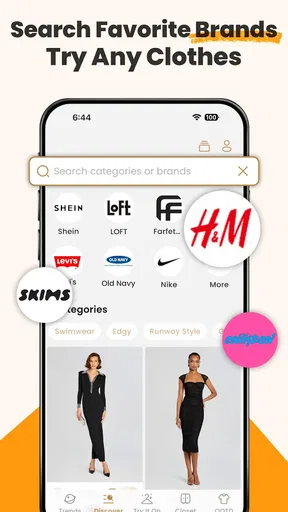
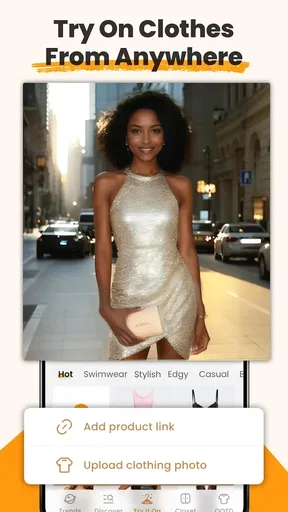
 Analysis by AppCompare
When I’m short on time, I don’t need an app to tell me that fashion is fun; I need help turning the clothes I already own into an outfit I can wear today. That practical promise is what makes DLOOK: AI Outfit Stylist interesting to me. It’s a beauty and fashion app from BlazeTech LTD, built around photographing clothes and using AI to suggest combinations. The idea works best when I treat it as a planning assistant rather than an authority on what looks good.
Start with a wardrobe you can actually use
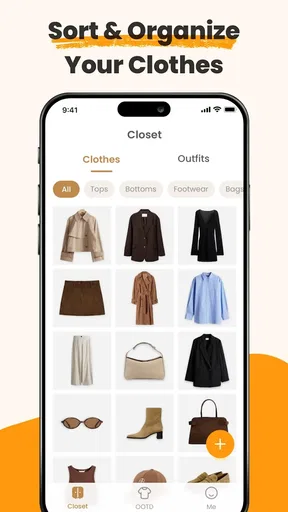
The first useful habit is to add clothes in manageable batches. Photographing an entire wardrobe in one sitting can feel like a chore, and it delays the point where the app becomes useful. I’d begin with the pieces I reach for most: everyday tops, trousers, outerwear, and shoes. Once those are represented, I can try outfit suggestions and add less-used items later. That gives the tool a practical starting point without turning setup into a weekend project.
For the photos, I’d aim for clear, even light and a plain background, with each item easy to distinguish. This matters because the suggestions depend on what the app can make out from the images; a shadow or a strong color cast can make an item look different from how it appears in real life. If the result seems off, I’d check the photo before assuming the styling itself is wrong. A quick retake can be more useful than trying to work around a mistaken color or shape.
That same care helps when deciding what to add. I’d include clothes I genuinely wear, rather than every item I own just to make the digital wardrobe look complete. A closet full of rarely worn pieces can produce combinations that are technically possible but irrelevant to my routine. The goal is not a perfect inventory; it’s a useful one that reflects what I’m willing to put on when I’m getting ready.
How to make outfit suggestions more useful
After the initial setup, I’d treat each suggestion as a starting point. The AI can combine colors and styles in ways I might not have considered, but I still need to judge comfort, fit, dress code, and whether the weather suits the plan. That balance is important: the app can widen my options, while I remain the person who knows where I’m going and how I want to feel.
Build a repeatable planning routine
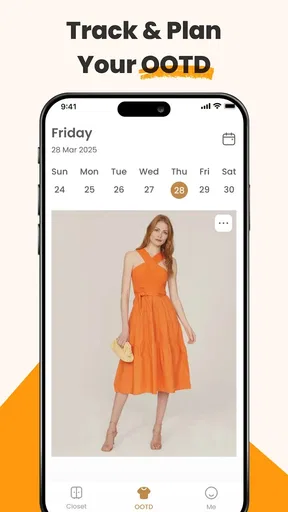
The Outfit Planner is most helpful when I use it before the rush, not while I’m already standing by the door. I can sketch out the week, then check whether the planned looks make sense for the activities ahead. A workday, a relaxed weekend, and an evening out call for different choices, even if they share a favorite jacket or pair of shoes. Planning several days at once also makes it easier to spot when I’m relying on the same combination too often.
For a realistic weekday, I might choose a few outfits on Sunday evening, keeping one flexible option for a change in plans. If the forecast shifts, I can revisit the suggestion that depends on lighter clothing rather than forcing it. I’d also leave room to swap a piece when something needs washing. The planner helps reduce morning decisions, but it works best as a guide that can adjust to the week instead of a rigid schedule.
Worth Reading Before You Choose

Flipboard Shows What News Apps Must Do Beyond the Feed

Switching to Android Auto Means Rethinking Your Driving Routine

Google Calendar Makes a Crowded Week Easier to Manage

Ludo King Makes the Most of the Minutes Between Plans

Baby Panda World Brings Quick Play to Modern Phones, but Its Game Library Feels Busy

ESPN’s Live Game View Makes Following Close Games Easier
A useful shortcut is to make the wardrobe reflect current reality. When I stop wearing something, or a favorite item is unavailable, I should avoid letting it dominate the set of options I’m considering. Likewise, newly added pieces can give the AI more material to work with. This is a small maintenance habit, but it can prevent the experience from feeling stale and makes suggestions easier to judge against the clothes I can actually reach.
Use inspiration and feedback with a filter
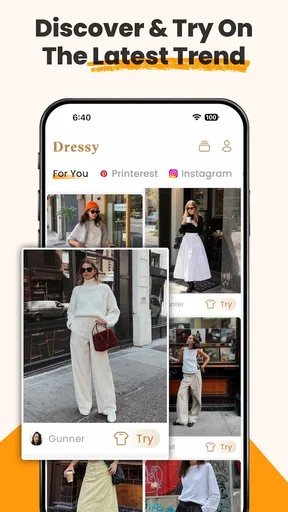
The Style Feed gives me a place to look for ideas, while sharing an outfit with friends can add another perspective. I wouldn’t treat either as a substitute for my own taste. A look that works for someone else may depend on different clothes, preferences, or plans. Instead, I’d use inspiration to notice a specific element—perhaps a color pairing or a way of wearing a layer—and see whether I can adapt that idea with items I already own.
When asking friends for feedback, a focused question is more useful than a general request for approval. I might ask whether an outfit feels appropriate for a particular occasion or whether two pieces work together. That gives the response a purpose and helps me decide what to change. Sharing is optional in spirit even when it is available as a feature; anyone who prefers to make clothing decisions privately can simply use the personal planning side.
There’s a trade-off between fresh ideas and reliable favorites. If I keep returning to the same familiar pieces, the app may have fewer opportunities to suggest something unexpected, especially when the wardrobe has not changed. I’d use the feed to spark experiments, but I wouldn’t chase every trend it surfaces. The most useful outcome is often a small adjustment to an outfit I already like, not a complete change in personal style.
What to check before relying on it
Some practical questions are worth settling early. The app is free to download, but it includes in-app purchases priced from $9.99 to $39.99 per item, so I’d look carefully at any purchase screen and decide whether an optional extra is worth it to me. The app is rated for Everyone, and the current version is 2.3.1; it requires Android 5.0 or later on Android devices. It has a 4.6 average from around 1,800 ratings and more than 50,000 installs, which gives a sense of its reach without telling me whether its particular workflow will suit my closet.
It is available for Android and iOS, but I would not assume that every detail behaves identically on both platforms. The listing presents virtual try-on and clothes-changing among its intended uses, yet I’d check what is available on my device before making those capabilities central to a buying decision. In the same way, the earlier description of smart-mirror integration should not be the reason I install it: I’d focus first on the wardrobe, outfit suggestions, planner, and inspiration features I can use directly.
Where it differs from simpler alternatives
Compared with a notes app, a calendar, or taking a quick mirror photo, DLOOK’s appeal is that it connects pictures of my clothes with outfit suggestions and planning in one fashion-focused place. A plain calendar can still be better if all I need is a reminder to wear a certain outfit. A camera roll may be quicker for someone who already knows what they want to wear and only wants to save a reference. DLOOK makes more sense when I want help exploring combinations rather than merely recording a decision.
It also differs from browsing shopping or trend content: its most personal value comes from working with clothes I have photographed, rather than asking me to start with a new purchase. That can make it a better fit for someone trying to get more mileage from an existing wardrobe. On the other hand, if I want precise fit advice, detailed garment measurements, or a full shopping comparison, a wardrobe-styling app is not automatically a replacement for those tools. I’d use it for ideas and organization, then make fit and purchasing decisions with the information those decisions actually require.
One non-obvious way to get more from the workflow is to photograph an item again when its appearance is hard to read, instead of adding several near-duplicate images and hoping the recommendations improve. Another is to plan around a small group of dependable pieces, then use the suggestions to vary the supporting items. That can help me test whether an overlooked top works with a familiar pair of trousers without rebuilding every outfit from scratch. These are habits rather than hidden controls, but they make the app easier to use consistently.
Who will enjoy it—and who may not
I think DLOOK is a good match for people who own enough clothes to have choices but still get stuck combining them. It can also suit someone who wants a visual record of outfit ideas or likes planning a week in advance. The AI angle is most valuable if I’m open to trying combinations I would not immediately reach for, and willing to correct the process when a photo or an outdated wardrobe entry leads it astray.
I’d skip it if I strongly dislike photographing and organizing clothes, want a completely hands-off stylist, or need every recommendation to account for precise fit and occasion details without my own judgement. It may also be unnecessary if I already have a dependable routine and a simple calendar solves the problem. The main commitment is not just installing an app; it’s giving it a useful view of my wardrobe and keeping that view reasonably current.
First impressions: sleek and user-friendly
From the get-go, DLOOK: AI Outfit Stylist impresses with its sleek interface. The design is intuitive, making it super easy to navigate even if you’re not particularly tech-savvy. Everything you need is just a tap away. The app begins by getting to know your style preferences, which I thought was a nice touch. It’s almost like it wants to understand you before it starts suggesting outfits.
How it works: the magic of AI
The app uses AI to analyze your wardrobe. Yep, you heard that right. You take pictures of your clothes, and DLOOK does its magic to suggest outfit combinations. This is where the fun begins. The AI considers color, style, and even the weather to ensure you’re not just looking good, but also comfortable. I’ve found myself wearing combinations I’d never have thought of, and honestly, I’ve been getting more compliments than ever.
What’s cool is the AI's ability to learn. The more you use it, the better it gets. It starts to pick up on your style quirks and preferences, making its suggestions even more spot-on. It’s like having a stylist who’s constantly evolving to better suit your tastes.
Features that stand out
One of the standout features for me is the “Outfit Planner.” You can plan your outfits for the week, saving you those hectic Monday morning decisions. Plus, there’s a social aspect to it. You can share your outfits with friends and get feedback. It’s like having your own fashion-focused social network.
DLOOK also offers a “Style Feed,” where you can get inspired by what others are wearing. I’ve often found myself scrolling through it, finding new ways to style my own clothes. It’s a great way to keep up with trends and see what’s hot right now.
Accessibility and integration
The app is available on both Android and iOS, which is fantastic. It syncs seamlessly across devices, so you can access your wardrobe and outfits wherever you are. I’ve even used it while shopping to see how a new piece would fit into my existing wardrobe.
Another nifty feature is its integration with smart mirrors and other smart devices. Imagine trying on outfits virtually and seeing real-time suggestions on a smart mirror. It’s like stepping into the future of fashion, and I’m here for it.
Room for improvement
While DLOOK: AI Outfit Stylist is pretty amazing, there are a few areas where I think it could improve. Sometimes, the AI’s suggestions can be a bit repetitive, especially if you haven’t updated your wardrobe in a while. Also, the initial setup of photographing all your clothes can be a bit tedious, but once it’s done, you’re set.
Another thing to consider is the app’s dependency on good lighting when taking photos of your clothes. If the lighting isn’t great, the AI might misinterpret colors, leading to some interesting combinations. However, these are minor hiccups in an otherwise stellar app experience.
My verdict after using it
Overall, DLOOK: AI Outfit Stylist has been a fantastic addition to my daily routine. It’s made getting dressed fun and stress-free, all while helping me look my best. If you’re someone who struggles with outfit choices or just wants to experiment with new styles, this app is definitely worth checking out. It’s like having a personal stylist available 24/7, and honestly, who wouldn’t want that?
So, if you’re ready to revolutionize your wardrobe and make those daily outfit decisions a breeze, give DLOOK a try. You can download it from both the App Store and Google Play. Trust me; your wardrobe will thank you!
Pros
- Provides personalized outfit suggestions.
- Integrates seamlessly with your wardrobe.
- AI learns your style preferences quickly.
- Offers seasonal fashion recommendations.
- User-friendly interface with easy navigation.
Cons
- Limited offline functionality.
- AI suggestions may not suit all tastes.
- Occasional slow loading times.
- In-app purchases can be pricey.
- Requires access to personal data.
FAQs for DLOOK: AI Outfit Stylist
What is DLOOK: AI Outfit Stylist?
DLOOK: AI Outfit Stylist is an innovative fashion app that utilizes artificial intelligence to suggest personalized outfit combinations. By analyzing your wardrobe and style preferences, the app helps users create looks that are both trendy and tailored to individual tastes. Available on Android and iOS, it aims to simplify daily outfit decisions.
How does the AI in DLOOK work?
The AI in DLOOK analyzes your wardrobe by allowing you to upload photos of your clothing items. It then uses machine learning algorithms to understand patterns, colors, and styles you prefer. By combining this information with current fashion trends, the app generates outfit suggestions that are uniquely suited to your style.
Is DLOOK: AI Outfit Stylist free to use?
DLOOK offers a free version with basic features, allowing users to explore outfit suggestions and manage their wardrobe. However, for advanced functionalities like detailed style analysis and premium recommendations, there is a subscription-based model. This ensures a more personalized and comprehensive fashion advice experience.
Can I use DLOOK without uploading my wardrobe?
Yes, you can still use DLOOK without uploading your entire wardrobe. The app allows you to input style preferences and desired fashion trends manually. While uploading your wardrobe enhances the personalization of outfit suggestions, it is not mandatory for using the app's basic features.
How does DLOOK ensure user privacy and data security?
DLOOK prioritizes user privacy by employing robust encryption methods to protect user data. The app requires minimal personal information and ensures that any uploaded wardrobe images are stored securely. Users have control over their data, with options to delete or export information at any time, adhering to strict privacy standards.


